 faqai
faqai › WordPress plugin
Page-specific FAQs for every WordPress post, without writing them.
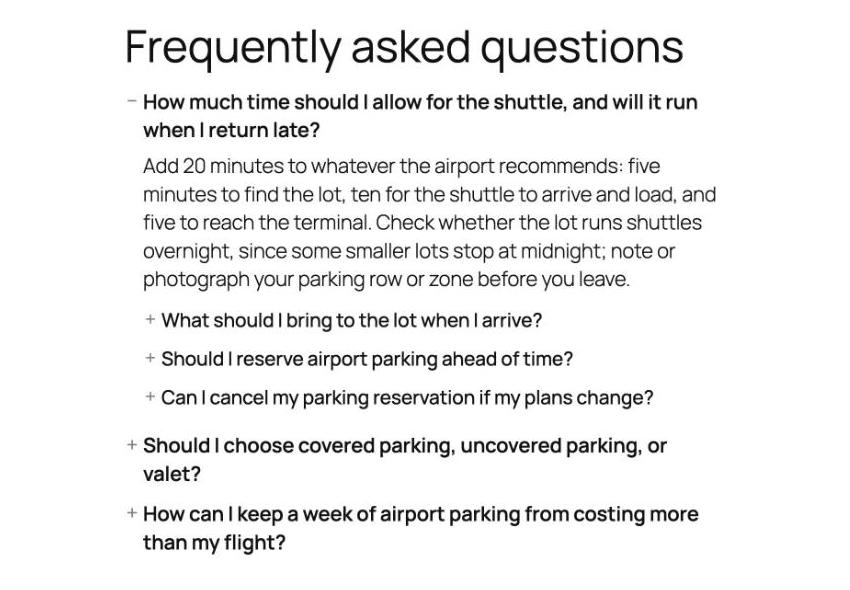
The faqai plugin adds a FAQ block under your posts and pages: questions your readers are likely to have, answered from the page itself, with follow-up questions as they read. Install, connect in one click, done.
Version 1.0.0 · WordPress 5.8+ · PHP 7.4+ · free plan included, no card
Install in four steps
In WordPress: Plugins → Add New → search faqai → Install Now → Activate. Or get it from the WordPress.org directory.
Settings → faqai → Connect to faqai. Create a free account or log in; you come straight back with your site key filled in.
Posts, pages, or both. The block renders right after the content by default; use the faqai block or [faqai] to place it exactly.
The first questions appear within a few seconds. Edit or hide any of them from your faqai dashboard.
What the plugin does
On your site
- FAQ block after the content, in your theme's fonts and colours
- Follow-up questions when a reader opens an answer
- Questions written to help with what the page is for — book, buy, call, decide
- Per-post on/off switch in the editor sidebar
- Gutenberg block and
[faqai]shortcode for exact placement - Questions and answers are plain page content, readable by search engines
- Optional A/B mode to measure the effect in GA4
In your faqai dashboard
- Every page with its questions and what readers open
- Edit or hide any answer; ask for a fresh set
- Answers re-checked automatically when a page changes
- Set the heading and tone for your site (Pro)
- Manage several WordPress sites from one account (Pro, Agency)
Screenshots
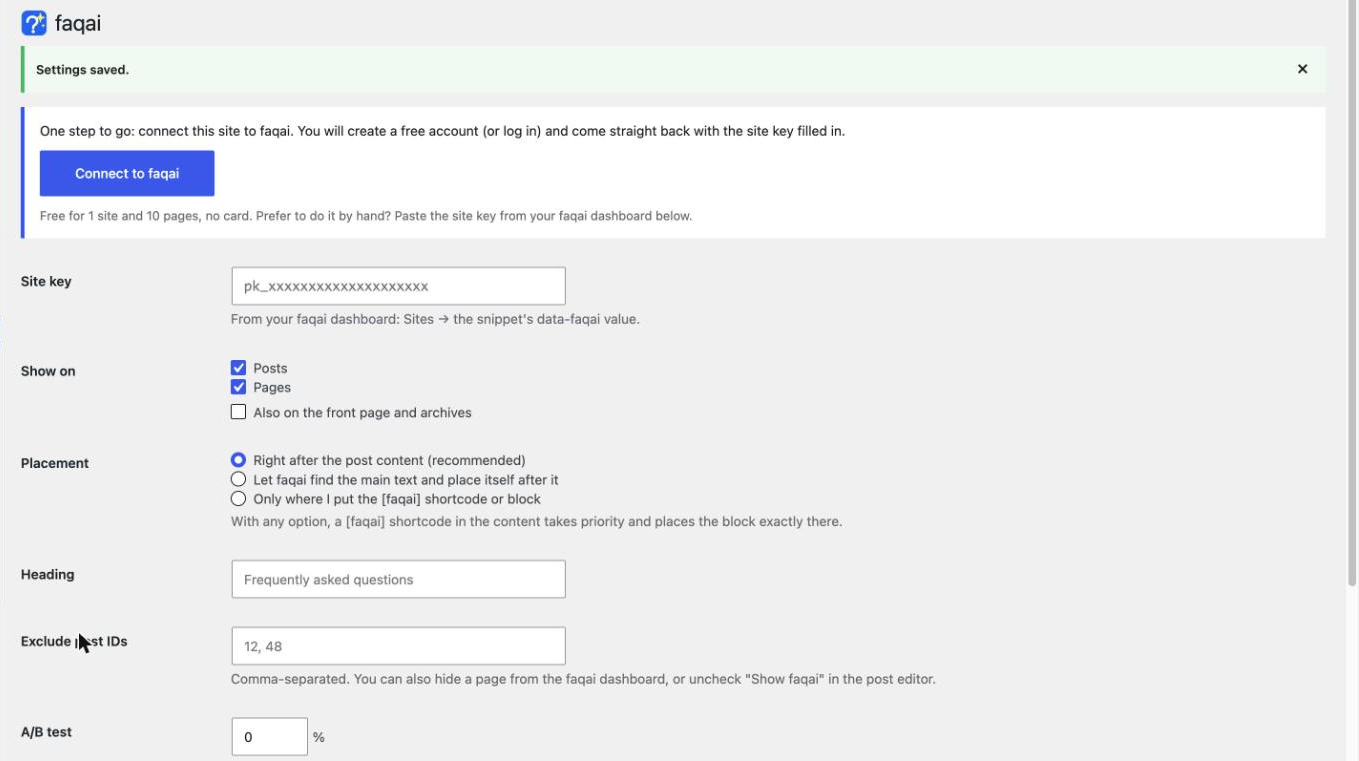
Settings → faqai: connect in one click, choose post types, placement and heading.
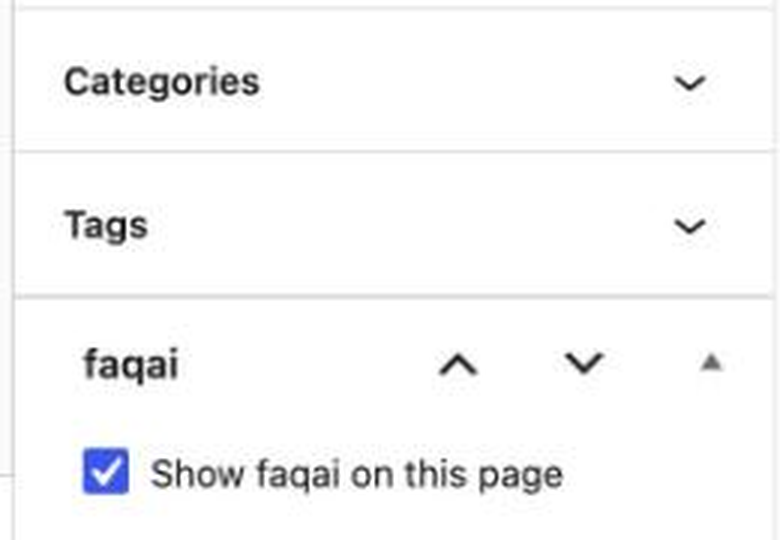
The per-post switch in the editor sidebar.
Questions about the plugin
Does it work with my theme and page builder?
Yes. The block is injected after the post content, so it works with any theme and with builders that output through the content (Gutenberg, Classic, Elementor sections that use the content area). If your builder bypasses the content filter, drop the [faqai] shortcode where you want the block.
Will it slow down my site?
No measurable effect: a small script loads after your content, asynchronously, and questions are served ready-made. If faqai is unavailable, nothing shows and the page is unchanged.
Is there a free plan?
Yes: one site, 10 pages, all features, with a small "Powered by faqai" link under the block. Paid plans start at $19/month for 500 pages without the link. See pricing.
What data leaves my site?
The page URL, title and an excerpt of its text (to write the questions), and which questions were shown and opened. No names or emails; visitors are never tracked across sites. See the privacy policy.
Can I control which pages get FAQs?
Choose post types in the settings, exclude post IDs, or untick "Show faqai on this page" on any individual post. Each page can also be switched off from the faqai dashboard.
Can I review questions before they go live?
Questions appear automatically so your pages are never empty; you edit or hide anything from the dashboard and changes apply immediately. If you prefer to read everything first, switch on "Approve new questions before they go live" in your site's settings in the faqai dashboard — off by default.
Add FAQs to every post this afternoon.
Download, upload, connect. Free for up to 10 pages.
Get it on WordPress.org